
off. Manual setup shows the same settings so you can apply them yourself, with no extra tool installed. Claude Desktop is FireConnect only.
Claude Code
Messages API
Claude Desktop
macOS only
Codex CLI, Codex app, and ChatGPT
Responses API
OpenCode
Chat Completions
Pi
Chat Completions
Cursor IDE
Chat Completions
VS Code
Chat Completions
Copilot App
Chat Completions
Copilot CLI
Chat Completions
DeepSeek Harness
Chat Completions
Before you start
- FireConnect
- Manual setup
Install FireConnect and sign in once:
- Connect:
fireconnect <harness>. Add--model <id>to choose a model or router. Browse IDs withfireconnect model list. - Quit first: fully quit Cursor IDE, VS Code, and the Copilot App before connecting or running
off. Restart other harnesses, including Claude Desktop, after connecting. - Check:
fireconnect <harness> statusis read-only and safe while the app is open. - Undo:
fireconnect <harness> offrestores the settings FireConnect saved under~/.fireconnect/.
Claude Code
Anthropic Messages FireRouter Native web search- FireConnect
- Manual setup
claude --resume <id>. FireConnect selects FireRouter by default. To choose another model, pass --model:--model sets the default model for new sessions and adds it to /model. /model also lists auto, the routers, and the Fireworks catalog. Your own picker rows are not changed.To send one Claude tier or your subagents to a specific model, pin that slot:--opus, --sonnet, --haiku, --fable, and --subagent. Unpinned slots stay on Claude Code’s defaults. Running fireconnect claude again keeps your pins. Pass native, such as --sonnet native, to release a slot.~
.claude
settings.json
.claude.json
.fireconnect
See what FireConnect writes
See what FireConnect writes
~/.claude/settings.json
- The Fireworks key goes in a custom header, so your Claude login stays available for routes with Claude models.
[1m]marks 1M-context models.- A pinned tier adds
ANTHROPIC_DEFAULT_<TIER>_MODELtoenv, such asANTHROPIC_DEFAULT_SONNET_MODEL. A pinned subagent addsCLAUDE_CODE_SUBAGENT_MODEL. - The status line shows the estimated session cost. It is added only if you do not already have one.
- FireConnect also turns off Claude Code telemetry and nonessential traffic, and enables MCP tool search.
~/.claude.jsonrecords approval for the FireConnect credential so Claude Code does not prompt for it.
Routers and credentials
Routers and credentials
- Bare
firerouterand routes with Claude models can use your Claude login when you connect with FireConnect. - Optional: save an OpenAI key once with
fireconnect configure --openai-api-key sk-...so FireRouter can also reach GPT models. FireConnect sends it on barefirerouterand on routes that name a GPT model ID, such asfirerouter/gpt-5.6-sol. - Family routes such as
firerouter/solandfirerouter/astradon’t use the saved key. Connect an OpenAI Provider Key, or sendx-openai-api-keywith manual setup. - See Routing Preferences for
--routing-preferenceand Harness Compatibility for cross-harness support.
Usage and cost
Usage and cost
For the status line and
fireconnect claude usage, see Usage and Cost. Claude Code’s own in-app cost uses Anthropic list prices; use the FireConnect status line for the Fireworks estimate. For a side-by-side comparison, see the Side-by-Side Demo.Troubleshooting
Troubleshooting
- Text-only models fail on pasted images. Use
/rewind, or switch to a vision model such asglm-5p3-flash. - Resume or restart the session after changing models.
- Auto mode says classifier requests are billed: this is expected, once per session, and auto mode keeps working. Its safety checks run on your Sonnet slot and bill to Anthropic. To bill them at Fireworks rates, pin Sonnet with
fireconnect claude --sonnet <id>.
Claude Agent SDK
Anthropic Messages The Claude Agent SDK can reuse the Claude Code settings above. Connect Claude Code first, with FireConnect or manually:settingSources: ["user"]. The SDK then reads the Fireworks endpoint, model, and credentials from ~/.claude/settings.json.
fireconnect claude does not configure Claude Desktop. See Claude Desktop.
Claude Desktop
Anthropic Messages macOS only FireConnect runs Claude Desktop’s Chat, Cowork, and Code on Fireworks models. It requires macOS and a stored credential fromfireconnect login. Quit and reopen Claude Desktop after on or off.
- FireConnect
auto, followed by the Fireworks models, in place of your claude.ai subscription models.on brings your connectors along automatically. Each one asks you to sign in once the first time you use it. off puts your previous setup back, including your claude.ai models.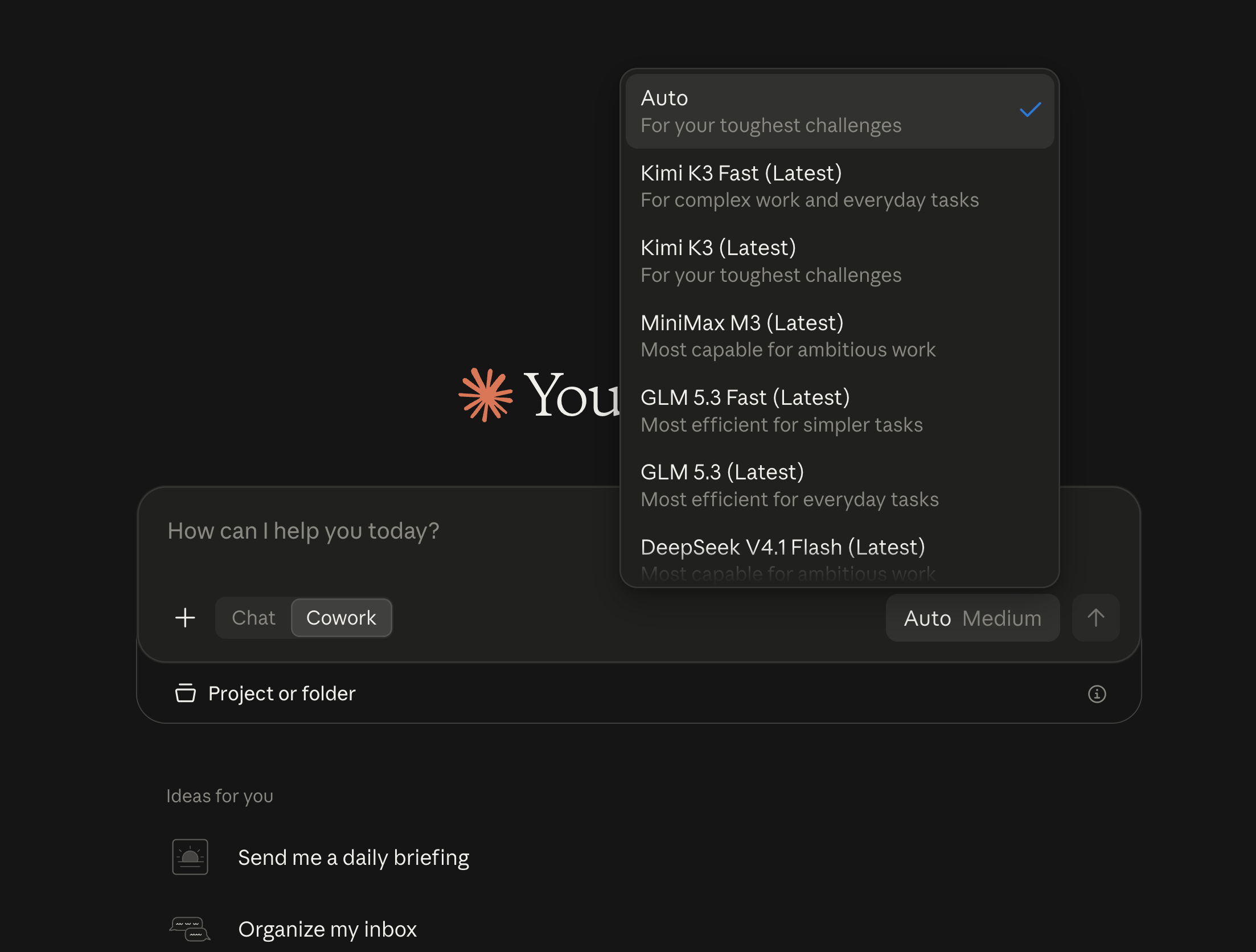
Claude Desktop after FireConnect, with Auto selected
See what FireConnect writes
See what FireConnect writes
onwrites a third-party inference provider profile, Claude Desktop’s own supported mechanism. The profile points at a small local gateway that FireConnect runs as a launchd service. It starts at login and restarts after a crash.ondoes not copy custom skills or plugins into third-party mode. Conversations stay in the mode they were made in.- Connector OAuth clients you register are saved in
~/.fireconnect/claude-desktop/oauth-clients.json, readable only by you. They surviveoffandon. offrestores your previous provider profile and the device settings FireConnect changed, then removes the local gateway service. Nothing of yours is deleted.
- Connectors move automatically with
on. Sign in to each one once the first time you use it. - Connector OAuth clients you register are saved and survive
offandon. - Conversations, custom skills, and plugins stay where they are. Third-party mode does not show your claude.ai sessions, and your subscription does not show sessions you start while connected. Nothing is deleted.
- MCPs that need an OAuth client ID and secret do not move. Create your own client, such as a Desktop app client in Google Cloud for the Google-hosted connectors. If you need one of these connectors, reach out to the team.
fireconnect claude-desktop mcp sync when you add a connector later and want it in third-party mode too.
Where did my previous conversations go?
Where did my previous conversations go?
Your conversations are still there. Conversations stay in the mode they were made in. Claude Desktop’s third-party mode does not show conversations from your claude.ai subscription, and your subscription does not show conversations you start while connected. Nothing is deleted. Run
fireconnect claude-desktop off and reopen Claude Desktop to see your previous conversations again.Connectors
Connectors
Claude Desktop’s third-party mode hides the in-app connector browser. Manage connectors with FireConnect instead:The hosted Figma connector does not work in third-party mode. Turn on the Figma desktop app’s local server in Dev Mode, then run
onimports the connectors you already use, from Desktop session history, your previous Desktop config, and your claude.ai organization when the Claude Code CLI is installed and signed in.fireconnect claude-desktop mcp add <name> <url>andmcp remove <name>manage entries by hand. Removals stick across syncs.- Each connector asks you to sign in once the first time you use it after
on.
fireconnect claude-desktop mcp add figma-desktop http://127.0.0.1:3845/mcp.Troubleshooting
Troubleshooting
statusshows the local gateway is not responding: runfireconnect claude-desktop onto restart it.- Models are missing from the picker: run
ononce while online, then restart Claude Desktop. - The Code tab says the API key was rejected: run
onagain to refresh the key from your stored credential. - A connector sign-in error won’t clear:
mcp removeit, thenmcp addit again with your own OAuth client (Google) or the local server (Figma).
Codex
OpenAI Responses FireRouter Native web search The Codex CLI, the Codex app, and the ChatGPT desktop app share one config in~/.codex/config.toml, so one setup covers all three. Quit the Codex app and the ChatGPT app before you change it so their model lists refresh.
- FireConnect
- Manual setup
auto. To add FireRouter to the Codex and ChatGPT model pickers, run fireconnect codex --model firerouter. Exit Codex and run codex resume <id>, or start a new session.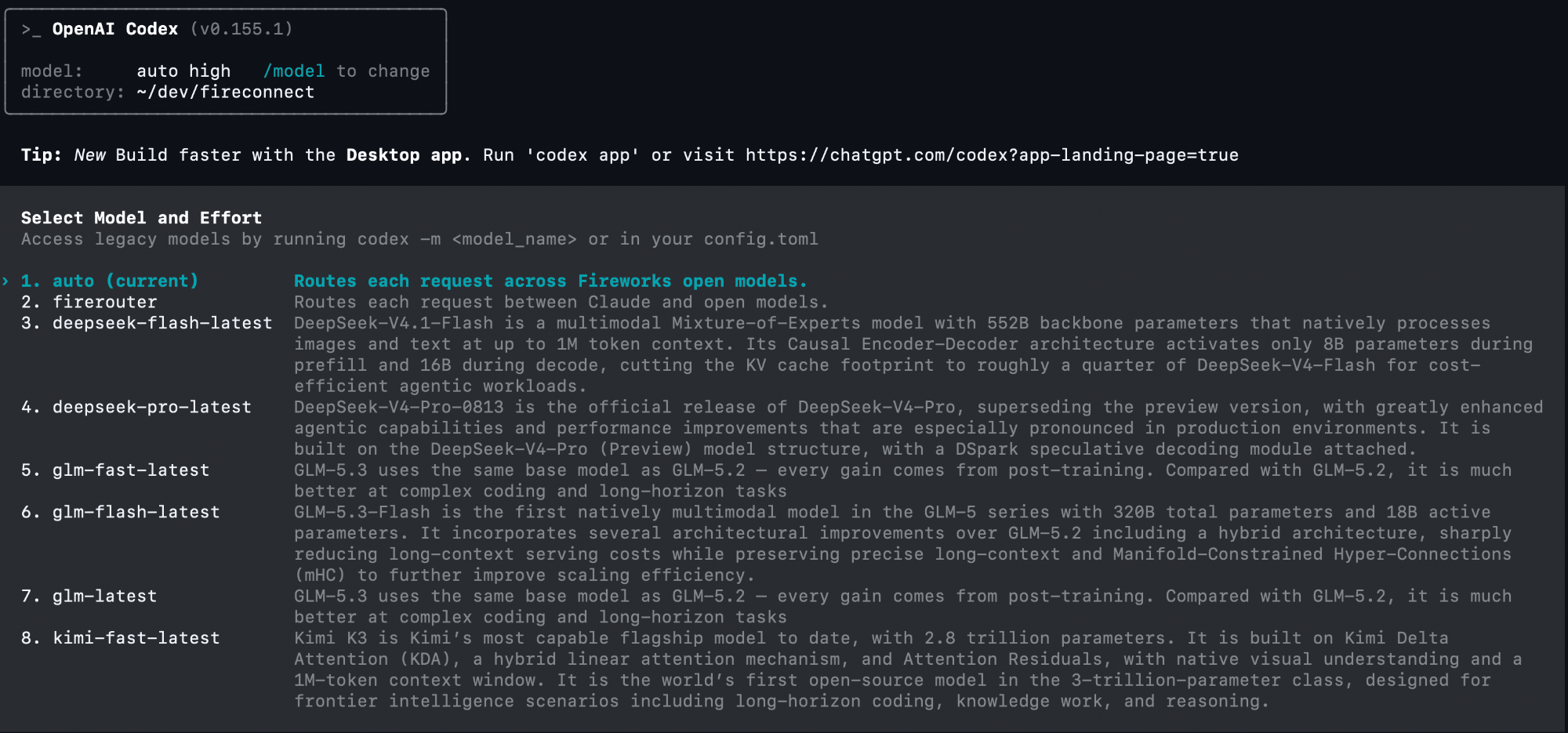
Codex CLI after connecting with FireRouter enabled; Auto is selected
~/.codex
config.toml
fireworks-model-catalog.json
See what FireConnect writes
See what FireConnect writes
~/.codex/config.toml
0600, and writes a model catalog so Codex knows each model’s context window and capabilities. The catalog also makes Codex auto-review use the model you picked, so approvals are reviewed on Fireworks. Connected before FireConnect 0.9.8? Run fireconnect codex once, or auto-review keeps denying every approval.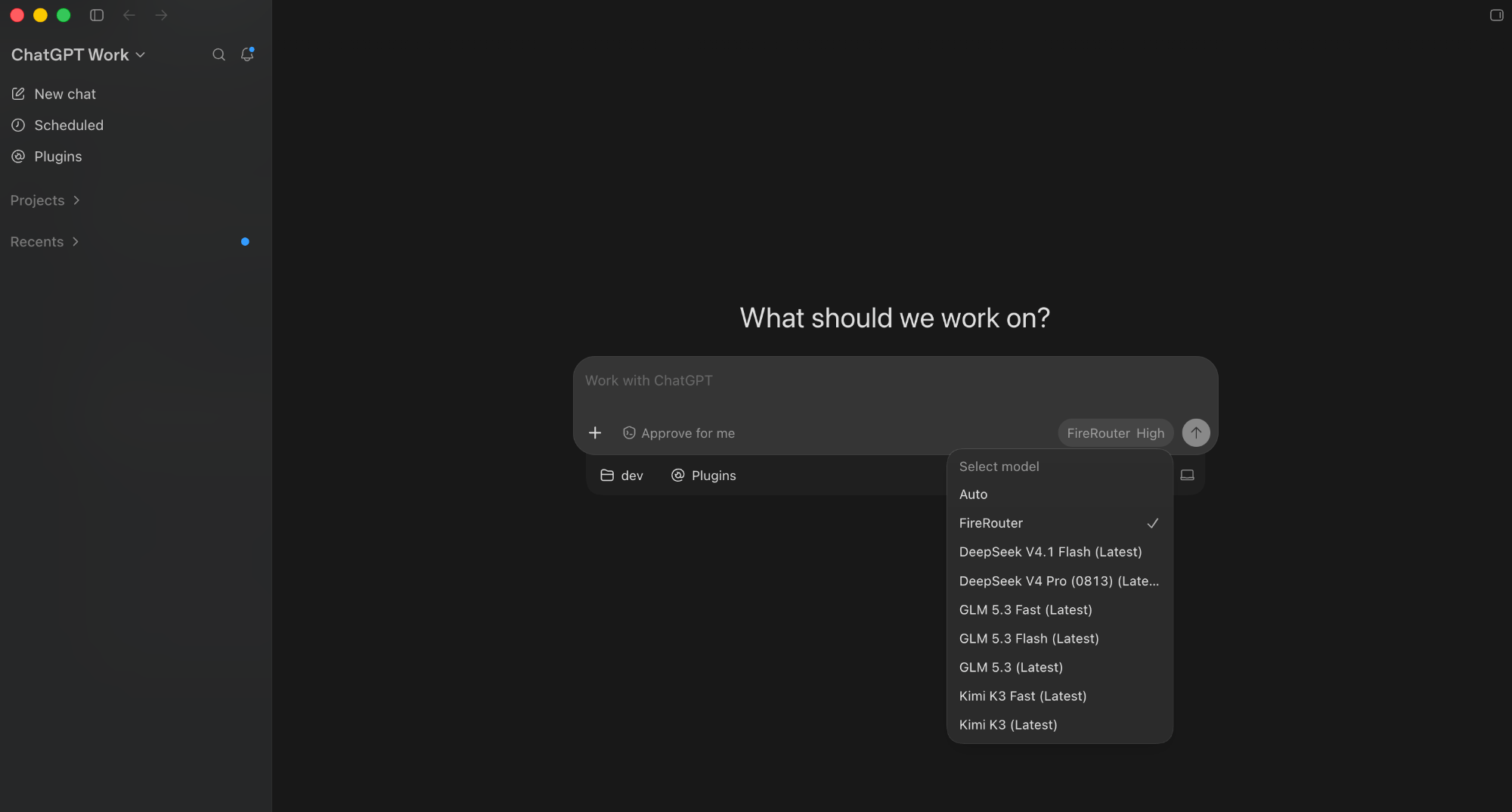
ChatGPT desktop with FireRouter selected
OpenCode
OpenAI Chat Completions FireRouter- FireConnect
- Manual setup
auto, stored as fireworks-ai/auto. Short IDs such as glm-5p2 expand to full Fireworks paths.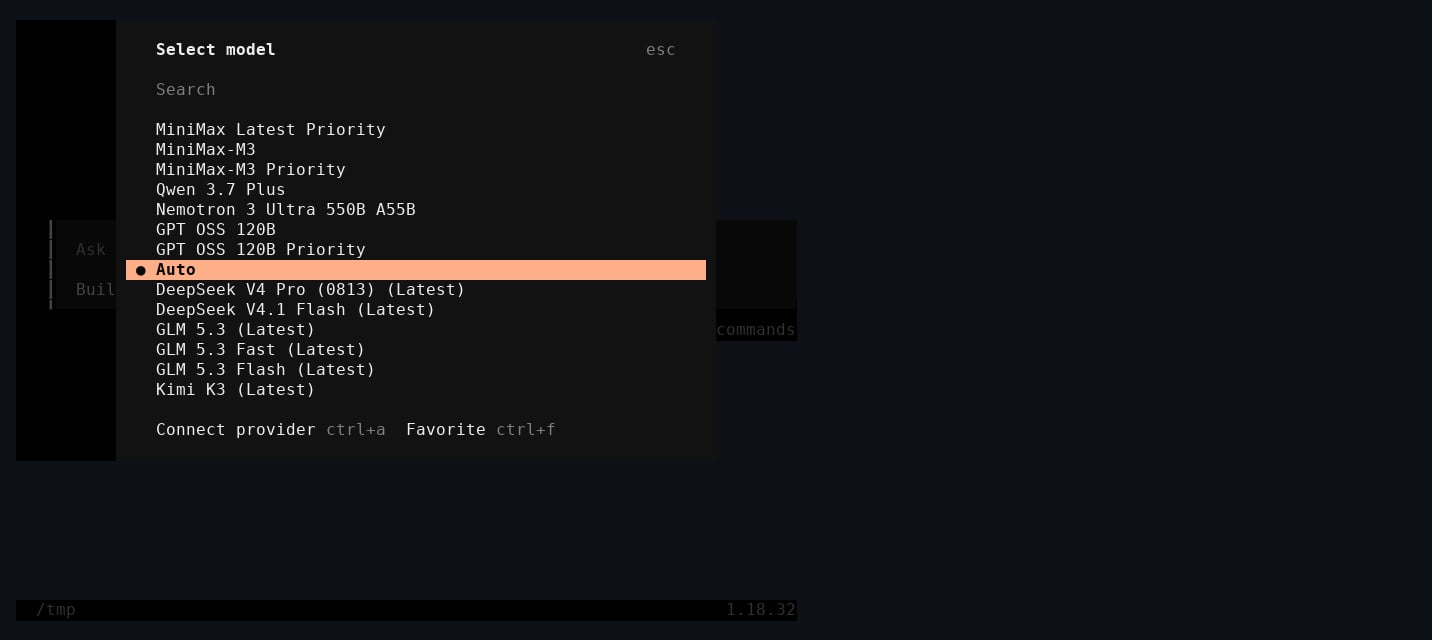
OpenCode model picker after FireConnect, with Auto selected
See what FireConnect writes
See what FireConnect writes
~/.config/opencode/opencode.json
0600. FireConnect never changes auth.json. Use --config-path for a config stored elsewhere.Pi
OpenAI Chat Completions FireRouter- FireConnect
- Manual setup
auto.~/.pi/agent
settings.json
auth.json
models.json
See what FireConnect writes
See what FireConnect writes
~/.pi/agent/settings.json
~/.pi/agent/auth.json
models.json adds the Fireworks catalog to Pi’s built-in fireworks provider. FireConnect tracks the IDs it adds so off removes only those. Use --settings-path for a settings file stored elsewhere.Cursor IDE
OpenAI Chat Completions FireRouter with Provider Keysfireconnect cursor configures Cursor IDE. Cursor CLI (agent or cursor-agent) is not supported. Fully quit Cursor IDE before connecting or running off.
- FireConnect
- Manual setup
modelConfig at the Fireworks default and registers the catalog in the picker. Reopen Cursor IDE and choose a Fireworks model.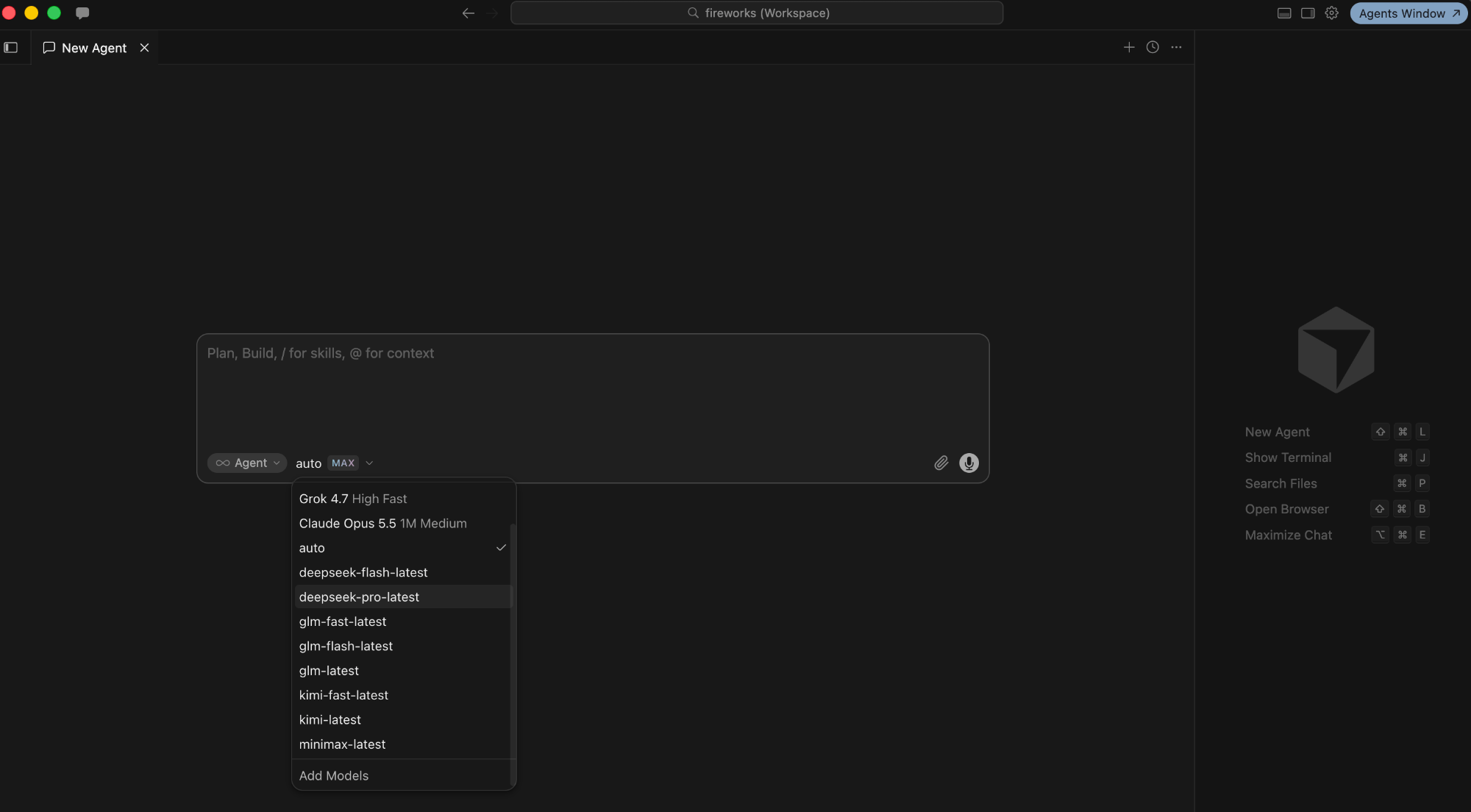
Cursor IDE after FireConnect, with Auto selected
See what FireConnect writes
See what FireConnect writes
Cursor IDE stores AI settings in SQLite (
state.vscdb under ~/.config/Cursor, ~/Library/Application Support/Cursor, or %APPDATA%\Cursor):Your previous auth state is saved under
~/.fireconnect/cursor/. Use --db-path for a non-default state.vscdb.VS Code
OpenAI Chat Completions FireRouter FireConnect adds a Fireworks provider to GitHub Copilot Chat’s custom endpoints. This requires Copilot Pro or Enterprise. Quit VS Code before connecting or runningoff.
- FireConnect
- Manual setup
glm-latest and glm-fast-latest are text-only; glm-5p3-flash supports images.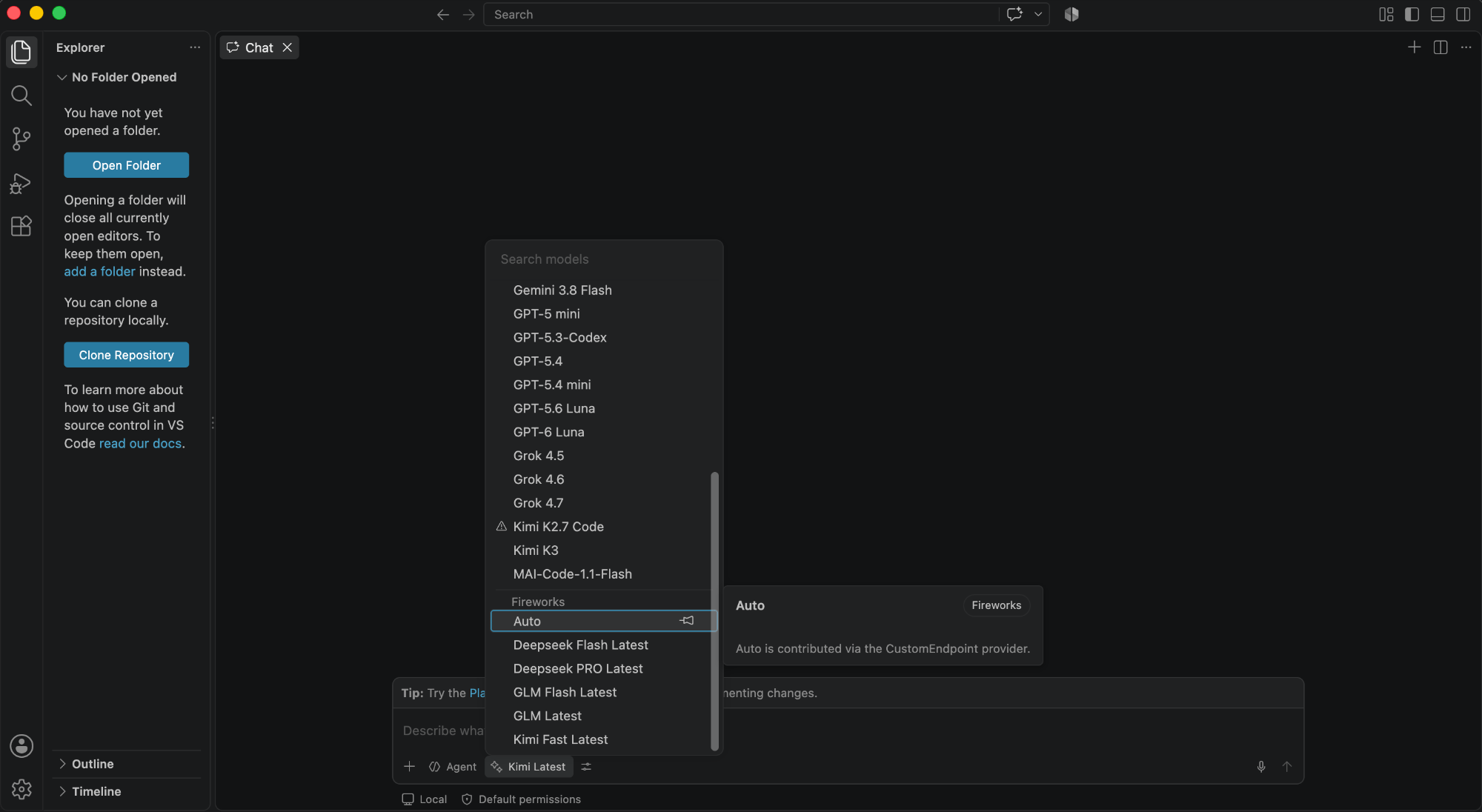
VS Code Chat after FireConnect, with Auto selected under Fireworks
See what FireConnect writes
See what FireConnect writes
chatLanguageModels.json
state.vscdb, encrypted with Electron safeStorage. On Linux, encryption needs libsecret; without it, VS Code only obfuscates the key and FireConnect warns you.Copilot App
OpenAI Chat Completions FireRouter with Provider Keys The GitHub Copilot desktop app keeps its built-in models and adds Fireworks alongside them. Quit the app before connecting or runningoff.
- FireConnect
- Manual setup
See what FireConnect writes
See what FireConnect writes
FireConnect writes to
~/.copilot/data.db (SQLite, movable with COPILOT_HOME):off deletes the provider and its models. Use --db-path for a non-default database.Copilot CLI
OpenAI Chat Completions FireRouter with manual setup Thecopilot command (@github/copilot) reads plain JSON under ~/.copilot, separate from the desktop app.
- FireConnect
- Manual setup
copilot session. Switch models with copilot --model fireworks/<name> or /model.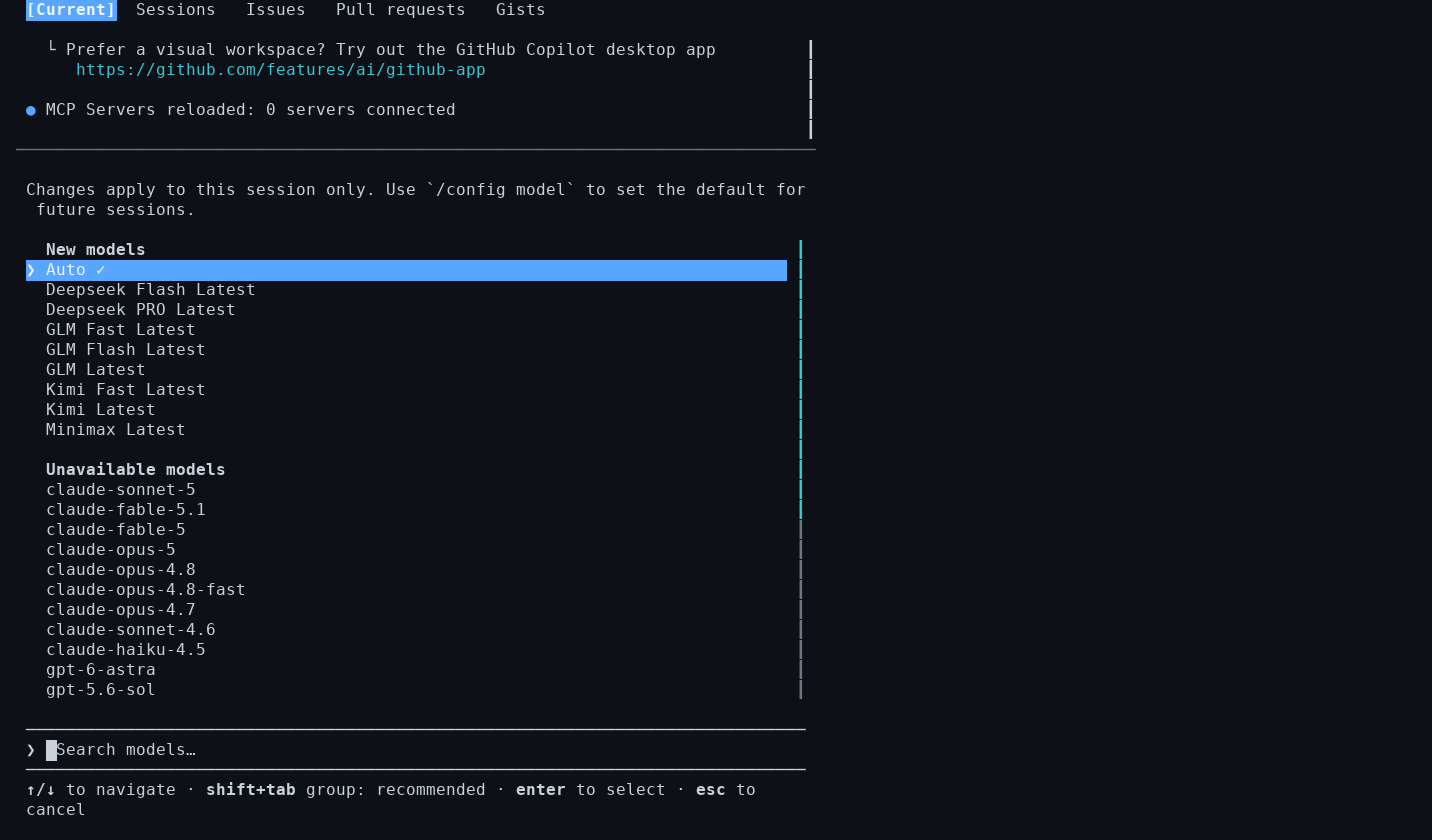
Copilot CLI model picker after FireConnect, with Auto selected
off restores providers.json from its snapshot, or deletes it if FireConnect created it. Use --providers-path for a non-default location.Use provider-prefixed model IDs such as
fireworks/glm-latest. The CLI rejects a bare glm-latest and silently falls back to its configured model.DeepSeek Harness
OpenAI Chat Completions FireRouter with manual setup DeepSeek’s coding agent (dsh) runs named profiles, such as tui, web, and headless, under $DSH_HOME, which defaults to ~/.dsh. Restart dsh after changing a profile.
- FireConnect
- Manual setup
dsh. It starts on auto and goes straight to Fireworks, with no DeepSeek key prompt.FireConnect adds a fireworks provider to ~/.dsh/settings.yaml and to each existing profile’s cordis.patch.yml, which dsh 0.1.7 and later read. off restores both from the snapshot under ~/.fireconnect/deepseek/.~/.dsh
settings.yaml
.credentials.yaml
profiles/<profile>
cordis.patch.yml
fireconnect deepseek once so dsh 0.1.7 and later stop asking for a DeepSeek key.FireConnect can add any FireRouter ID, but it does not send provider keys from dsh. To use Claude or GPT models in a route, connect a Provider Key or use manual setup.