
fireconnect claude demo runs the same code-generation prompt through two models using your current FireConnect Claude profile. It then puts the results next to each other so you can judge speed, cost, and output quality yourself.
The demo reads your active FireConnect Claude profile but does not modify ~/.claude/settings.json. Each side runs in a separate temporary working directory.
What you get
- Live terminal race: both models stream code in a split-pane TUI with real token counts and wall-clock timers.
- Browser comparison: both generated apps run side by side, with measured speed and cost at the bottom.
- Shareable artifacts: outputs land in
./fireconnect-demo/(compare.html,result.json, stream logs).
Browser comparison
Side-by-side runnable apps with measured speed and cost: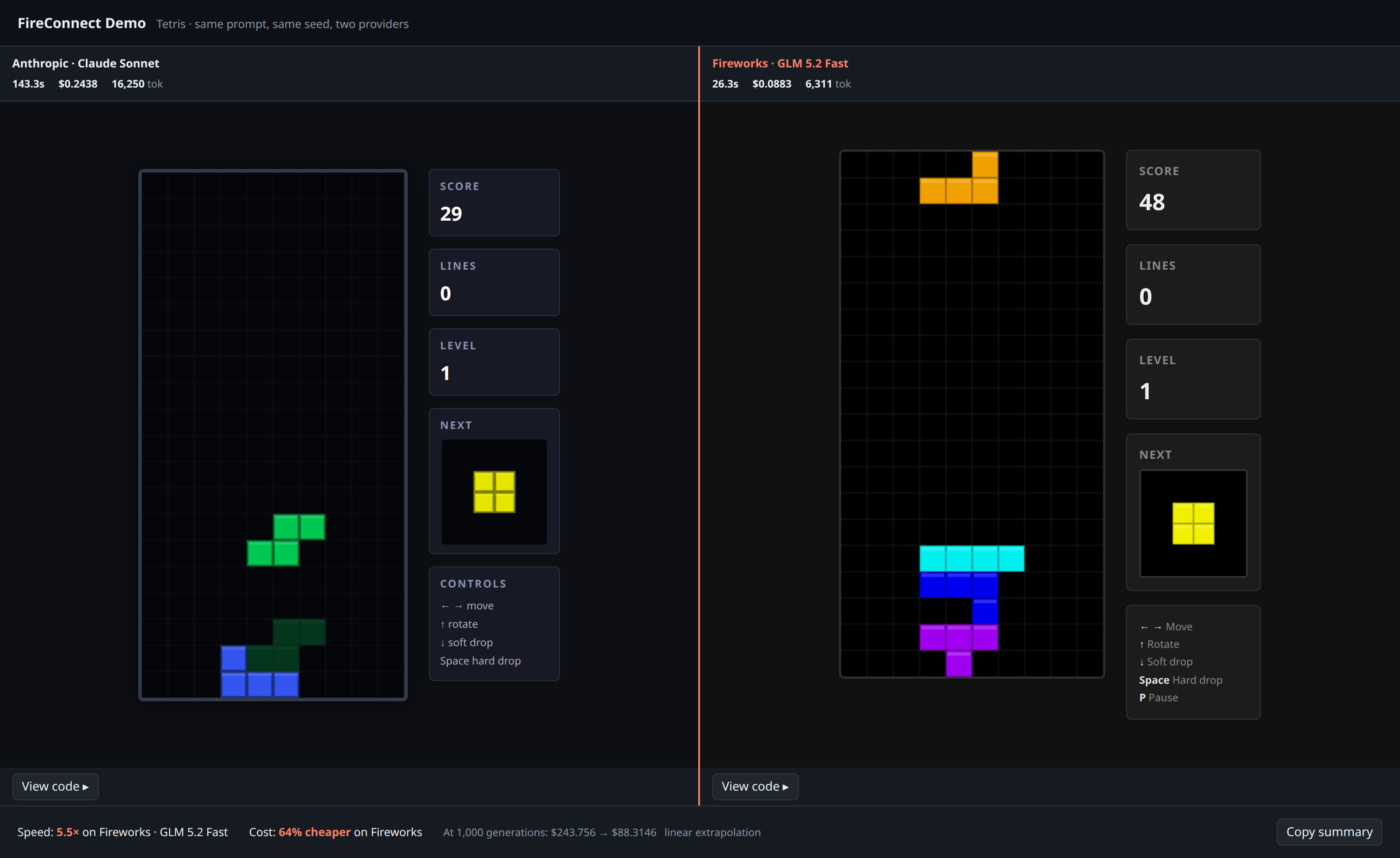
Browser comparison from a real FireConnect demo run: two Tetris apps with measured speed and cost
Terminal race
Split-pane TUI while both models stream the same prompt:
Real FireConnect demo race: GLM 5.2 Fast finishes while Claude Sonnet is still running
Prerequisites
- FireConnect installed (overview)
- Claude Code CLI (
claude) on yourPATH - Claude Code already connected with
fireconnect claude
Run the demo
The old top-level
fireconnect demo form is deprecated. Use fireconnect claude demo.Try other presets
tetris (default), snake, or clock. You can also pass custom task text or use --prompt-file.
Pick the models
opus on the left and glm-fast-latest on the right. Pass any available model or Claude alias from your connected profile.
Non-interactive / CI-friendly
Clean up
demo clean only removes directories that contain demo markers (result.json, compare.html, etc.), so it will not delete an unrelated folder you pointed --out at by mistake.
After the demo
Liked one of the models? Set it as your daily driver:How it works
- Each side runs real
claude -pin a separate temporary working directory, using your active FireConnect Claude profile with only the model changed. - Numbers in the comparison strip are measured from the run, not list-price estimates.
- If one side fails to finish, the page says so instead of fabricating a winner.
- Open
compare.htmlfrom the output folder anytime. It inlines both apps and works offline.